
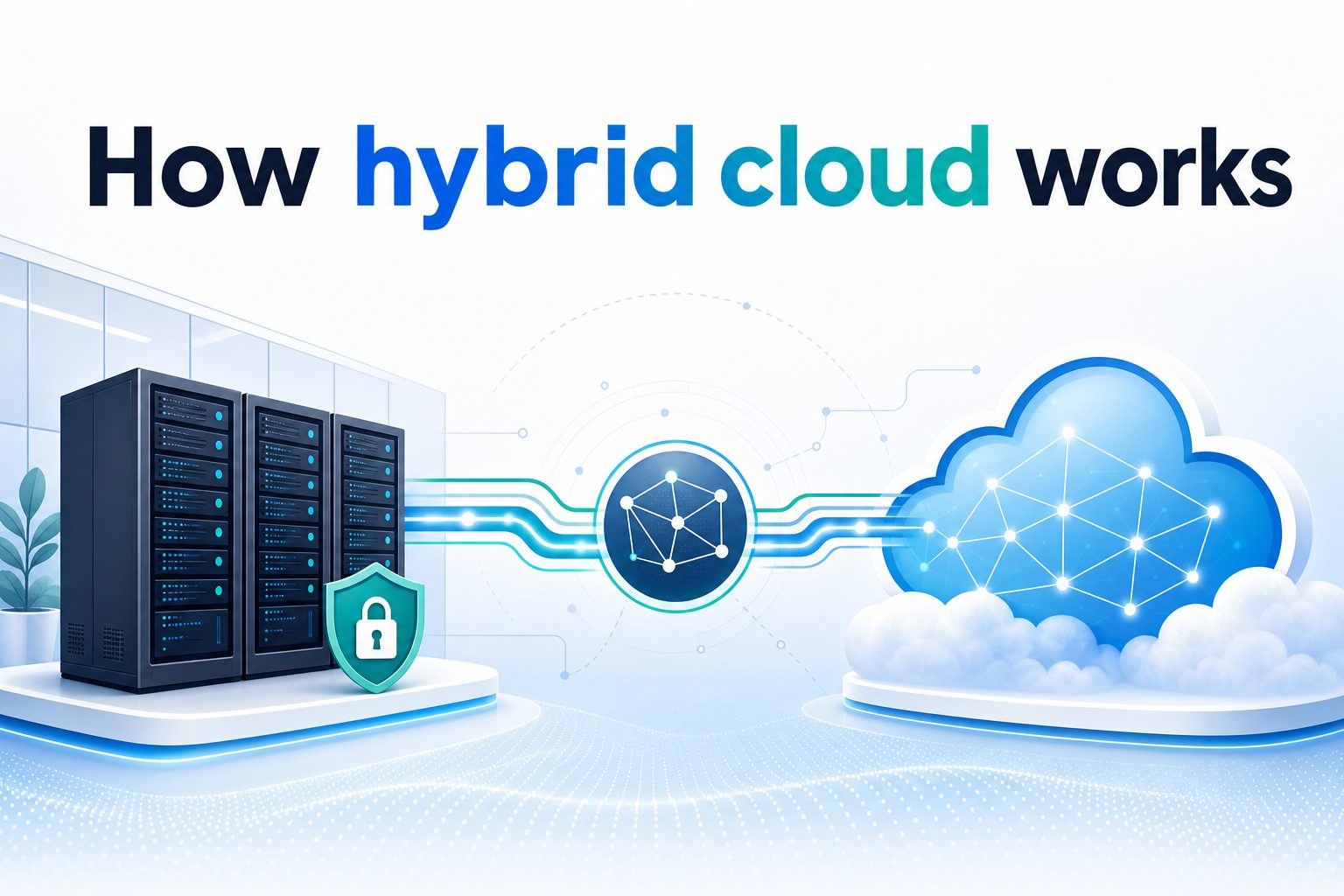
How hybrid cloud works is a common question for businesses that want the flexibility of public cloud without giving up the control of private infrastructure. In simple terms, hybrid cloud connects private data centers, private clouds, and public cloud services so applications and data can move or operate across them in a coordinated way. This model helps organizations balance cost, security, performance, compliance, and scalability. Instead of choosing only one environment, a company can keep sensitive systems close while using public cloud resources for growth, analytics, backup, or modern application development. In this guide, you will learn what hybrid cloud means, why it matters, how the architecture works, where it is useful, what mistakes to avoid, and how to plan a practical hybrid cloud strategy.
What Hybrid Cloud Means
Hybrid cloud is an IT model that combines two or more computing environments into one connected operating approach.
1. Private Infrastructure
Private infrastructure includes on-premises servers, private cloud platforms, or dedicated hosted environments controlled by one organization. Companies often use it for sensitive data, legacy applications, regulated workloads, or systems that require predictable performance and strict internal governance.
2. Public Cloud Services
Public cloud services provide scalable computing, storage, networking, databases, and software tools from cloud providers. They are useful when a business needs speed, global reach, flexible capacity, or access to advanced services without buying and maintaining physical hardware.
3. Shared Management
A hybrid cloud is not just two separate environments. It needs shared management, monitoring, identity, networking, and security policies. These layers help teams deploy applications consistently, track performance, and control access across both private and public cloud systems.
4. Connected Data
Data in a hybrid cloud may stay in one location, replicate between environments, or move based on business rules. The goal is to place data where it delivers the right balance of security, speed, cost, and accessibility.
5. Portable Applications
Modern hybrid cloud often relies on containers, APIs, automation, and orchestration tools. These technologies make it easier to move applications between environments or run parts of an application in different places while keeping the user experience consistent.
6. Business Flexibility
The main value of hybrid cloud is choice. A business can modernize gradually, keep important systems stable, and still use cloud innovation when needed. This flexibility makes hybrid cloud attractive for companies with complex operations or mixed technology needs.
Why Hybrid Cloud Matters
Hybrid cloud matters because most organizations cannot move everything to one environment overnight, and many should not.
- Better Control: Sensitive workloads can stay in private environments while less sensitive services use public cloud.
- Improved Scalability: Businesses can add public cloud capacity during demand spikes without overbuying hardware.
- Cost Balance: Teams can place workloads where they are most efficient instead of treating all systems the same.
- Faster Innovation: Developers can use cloud tools for testing, automation, analytics, and application modernization.
- Compliance Support: Regulated data can remain in approved locations while connected services support daily operations.
How Hybrid Cloud Architecture Works
Hybrid cloud architecture connects environments through technology layers that handle access, traffic, data, and operations.
1. Network Connectivity
Reliable connectivity is the foundation of hybrid cloud. Organizations use secure network connections, virtual private networks, or dedicated links to connect data centers and public cloud platforms. Good network design reduces latency, protects traffic, and keeps applications available.
2. Identity And Access
Hybrid cloud needs consistent identity management so users, services, and applications can authenticate safely. Centralized access policies reduce confusion, limit unnecessary permissions, and make it easier to audit who can use specific systems across multiple environments.
3. Workload Placement
Workload placement decides where each application or service should run. A business may keep financial records in a private cloud while running customer-facing web services in a public cloud. The right placement depends on cost, performance, compliance, and risk.
4. Data Integration
Applications often need data from more than one system. Hybrid cloud uses replication, APIs, synchronization, and integration platforms to keep data available where it is needed. Poor data design can create delays, duplicates, or security gaps.
5. Automation Tools
Automation helps teams provision servers, deploy applications, update policies, and recover systems faster. Without automation, hybrid cloud can become slow and inconsistent because each environment may require different manual processes and operational habits.
6. Monitoring And Governance
Monitoring gives teams visibility into performance, uptime, security events, and cost. Governance defines rules for resource use, data handling, approvals, and compliance. Together, they help prevent hybrid cloud from becoming hard to control as it grows.
Hybrid Cloud Benefits For Businesses
The benefits of hybrid cloud are strongest when the model supports clear business goals rather than simply adding more technology.
1. Flexible Capacity
Hybrid cloud lets companies expand computing power when demand rises and reduce it when demand falls. This is valuable for seasonal traffic, product launches, reporting cycles, and other workloads that do not require constant full-time infrastructure.
2. Stronger Resilience
By spreading services across private and public environments, organizations can improve disaster recovery and business continuity. If one environment has a problem, properly designed backup systems or failover plans can keep critical services running.
3. Smarter Cost Control
Hybrid cloud can reduce waste when workloads are placed carefully. Predictable workloads may be cheaper on owned infrastructure, while unpredictable workloads may be more economical in public cloud. Cost visibility is essential to making this benefit real.
4. Easier Modernization
Many companies have older applications that cannot move quickly to the cloud. Hybrid cloud allows gradual modernization by connecting legacy systems with newer cloud-native services, reducing disruption while still improving capabilities over time.
5. Better Compliance Options
Some industries must control where data is stored and how it is accessed. Hybrid cloud supports these requirements by allowing sensitive data to remain in controlled environments while connected applications use cloud services for less restricted tasks.
6. Faster Development
Development teams can use public cloud tools for testing, deployment, analytics, and automation while production systems remain in a private environment. This improves speed without forcing every workload into the same operating model.
Steps To Build A Hybrid Cloud Strategy
A strong hybrid cloud strategy starts with business needs, then maps technology decisions to those needs.
- Assess Current Systems: Review applications, data, dependencies, performance needs, and compliance requirements before choosing platforms.
- Classify Workloads: Group workloads by sensitivity, cost, latency, modernization potential, and business importance.
- Choose Cloud Services: Select public cloud services that match real needs, such as storage, analytics, backup, development, or burst capacity.
- Design Connectivity: Plan secure, reliable networking between private infrastructure and cloud environments.
- Set Security Policies: Define access controls, encryption requirements, monitoring rules, and incident response processes.
- Automate Operations: Use repeatable deployment, configuration, and management practices wherever possible.
- Measure And Improve: Track performance, cost, availability, and user experience, then adjust workload placement over time.
Examples Of How Hybrid Cloud Works
Examples make hybrid cloud easier to understand because they show how different environments support one business workflow.
1. Retail Demand Spikes
A retailer may run core inventory systems in a private data center while using public cloud capacity for online traffic during holidays. This lets the company handle temporary demand without buying hardware that may sit unused most of the year.
2. Healthcare Data Control
A healthcare provider may store patient records in a controlled private environment while using cloud tools for appointment systems, analytics, or secure collaboration. This approach supports strict data handling while still improving service speed and operational flexibility.
3. Financial Risk Analysis
A bank may keep transaction systems private but use public cloud computing for large-scale risk modeling. The cloud provides temporary processing power for complex calculations, while sensitive core records remain under tighter internal control.
4. Manufacturing Operations
A manufacturer may run factory control systems locally for low latency while sending selected production data to the cloud for reporting and predictive maintenance. This keeps operations responsive and still creates value from advanced analytics.
5. Software Development
A software company may test new features in public cloud environments while hosting certain production services on private infrastructure. Developers gain speed and flexibility, while the business keeps control over systems that require stability or special security handling.
6. Disaster Recovery
An organization may keep primary applications on private systems and replicate backups to the public cloud. If the main site fails, cloud resources can help restore service more quickly than relying only on a second physical location.
Common Hybrid Cloud Mistakes To Avoid
Hybrid cloud can create complexity when teams add cloud services without clear architecture, ownership, and controls.
1. Moving Workloads Without A Plan
Moving applications randomly often creates cost surprises and performance issues. Each workload should be evaluated for dependencies, security needs, data movement, user expectations, and business value before deciding whether it belongs in private infrastructure or public cloud.
2. Ignoring Network Performance
Hybrid cloud depends on strong connectivity. If teams underestimate latency, bandwidth, or routing complexity, applications may become slow or unreliable. Network design should be tested under realistic conditions before important production workloads depend on it.
3. Creating Separate Security Rules
Security becomes weaker when each environment uses different access models, logging practices, and approval processes. A consistent security framework helps reduce blind spots and makes it easier to investigate incidents across hybrid cloud systems.
4. Losing Cost Visibility
Public cloud spending can grow quickly when resources are not monitored. Teams should track usage, tag resources, set budgets, and review idle services regularly. Hybrid cloud saves money only when cost management is active and disciplined.
5. Forgetting Data Governance
Data can become difficult to manage when copies spread across systems without clear rules. Organizations should define where data lives, who owns it, how it is protected, and when it should be deleted or archived.
6. Overcomplicating The Environment
Hybrid cloud should solve practical problems, not add unnecessary layers. Too many tools, platforms, and custom processes can make operations slower. Standardization helps teams keep the environment manageable as more workloads are added.
Best Practices For Hybrid Cloud
Best practices help organizations make hybrid cloud more secure, efficient, and manageable over time.
1. Start With Workload Requirements
Every hybrid cloud decision should begin with what the workload needs. Consider performance, compliance, data sensitivity, availability, support skills, and cost. This prevents teams from choosing an environment only because it is new or convenient.
2. Use Consistent Security Controls
Apply consistent identity, encryption, logging, and access policies across environments. Consistency makes hybrid cloud easier to govern and reduces the chance that one system becomes weaker because it is managed separately from the rest.
3. Automate Repeatable Tasks
Automation reduces manual mistakes and speeds up delivery. Infrastructure templates, deployment pipelines, configuration policies, and automated monitoring can help teams manage hybrid cloud environments with more confidence and less operational friction.
4. Monitor Cost And Performance
Hybrid cloud should be measured continuously. Track response times, resource use, spending, failure rates, and capacity trends. These measurements show whether workloads are in the right place and whether changes are improving outcomes.
5. Plan For Data Movement
Data movement can affect speed, cost, and security. Teams should know which data must move, how often it moves, how it is protected, and whether applications can tolerate delays or temporary connectivity problems.
6. Train Teams Early
Hybrid cloud requires skills across networking, security, automation, cloud platforms, and legacy systems. Training should begin before major migrations so teams understand the tools, responsibilities, and risks involved in daily operations.
Practical Hybrid Cloud Use Cases
Hybrid cloud is most useful when it solves a real operational challenge that one environment alone cannot handle well.
1. Cloud Bursting
Cloud bursting means using public cloud capacity when private resources reach their limit. It works best for applications designed to scale out cleanly and for workloads where temporary demand is predictable enough to plan capacity rules.
2. Backup And Recovery
Public cloud storage can support backup, archiving, and disaster recovery for private systems. This use case is popular because it improves resilience without requiring a company to build and maintain a second full data center.
3. Data Analytics
Businesses can keep operational data private while sending selected datasets to cloud analytics tools. This allows teams to gain insights from large-scale processing without moving every sensitive system into the public cloud.
4. Application Modernization
Hybrid cloud supports modernization by allowing companies to connect older applications with newer cloud services. Teams can replace or improve parts of a system gradually instead of attempting a risky full rebuild at once.
5. Remote Work Support
Cloud services can help employees access collaboration tools, virtual desktops, and business applications while key systems remain private. This gives organizations flexibility without removing all control from internal IT teams.
6. Regulated Workloads
Industries such as healthcare, finance, and government often need strict data control. Hybrid cloud lets them keep regulated records in approved environments while using public cloud for approved services that improve speed and scale.
Future Trends In Hybrid Cloud
Hybrid cloud continues to evolve as businesses need better automation, stronger security, and more flexible application platforms.
1. More Edge Computing
Edge computing places processing closer to users, devices, or facilities. Hybrid cloud will increasingly connect central cloud services with edge locations, helping organizations reduce latency for factories, stores, hospitals, and other distributed operations.
2. Stronger Automation
Automation will become more important as hybrid environments grow. Teams will rely more on policy-based management, automated scaling, self-healing systems, and standardized deployment patterns to reduce manual work and improve reliability.
3. Better Cloud Security
Security tools are becoming more unified across environments. Future hybrid cloud strategies will likely focus on continuous verification, stronger identity controls, automated threat detection, and clearer visibility into data movement and access behavior.
4. Wider Use Of Containers
Containers help applications run consistently across private and public cloud systems. As more companies modernize software, container platforms and orchestration tools will remain central to building portable and manageable hybrid cloud applications.
5. Smarter Cost Management
Cost management will become more advanced as organizations use multiple cloud services. Better forecasting, workload rightsizing, resource tagging, and automated cost alerts will help businesses avoid waste while still using flexible capacity.
6. More Industry-Specific Clouds
Cloud providers and technology vendors are offering more industry-focused platforms. Hybrid cloud will help companies combine these specialized services with existing private systems while meeting sector-specific compliance, security, and operational requirements.
Frequently Asked Questions
1. What Is Hybrid Cloud In Simple Terms?
Hybrid cloud is a setup that connects private infrastructure with public cloud services. It allows a business to run some applications and store some data privately while using public cloud resources for scale, flexibility, backup, analytics, or development.
2. How Hybrid Cloud Works For Data Storage?
Hybrid cloud stores data based on business rules. Sensitive or regulated data may stay in a private environment, while less sensitive data may be stored or processed in the public cloud. Integration tools help systems access the right data when needed.
3. Is Hybrid Cloud More Secure Than Public Cloud?
Hybrid cloud can be very secure, but security depends on design and management. It gives organizations more control over sensitive workloads, but it also requires consistent access policies, encryption, monitoring, and governance across all connected environments.
4. What Is The Main Benefit Of Hybrid Cloud?
The main benefit is flexibility. A company can choose the best environment for each workload instead of forcing everything into one place. This helps balance cost, performance, security, compliance, and scalability in a practical way.
5. Who Should Use Hybrid Cloud?
Hybrid cloud is useful for organizations with legacy systems, sensitive data, variable demand, regulatory requirements, or modernization goals. It is especially helpful when a business needs cloud flexibility but cannot move every workload to public cloud.
6. What Makes Hybrid Cloud Difficult To Manage?
The biggest challenges are complexity, network design, security consistency, data governance, and cost control. Without clear policies and good monitoring, hybrid cloud can become fragmented. Strong planning and automation make management much easier.
Conclusion
Hybrid cloud works by connecting private infrastructure and public cloud services into one coordinated technology model. It helps businesses place workloads where they make the most sense, improve flexibility, protect sensitive data, support modernization, and handle changing demand more effectively.
The best hybrid cloud strategies are planned carefully, measured continuously, and managed with consistent security and governance. When organizations match workload needs to the right environment, hybrid cloud becomes a practical way to combine control, scalability, resilience, and innovation.