
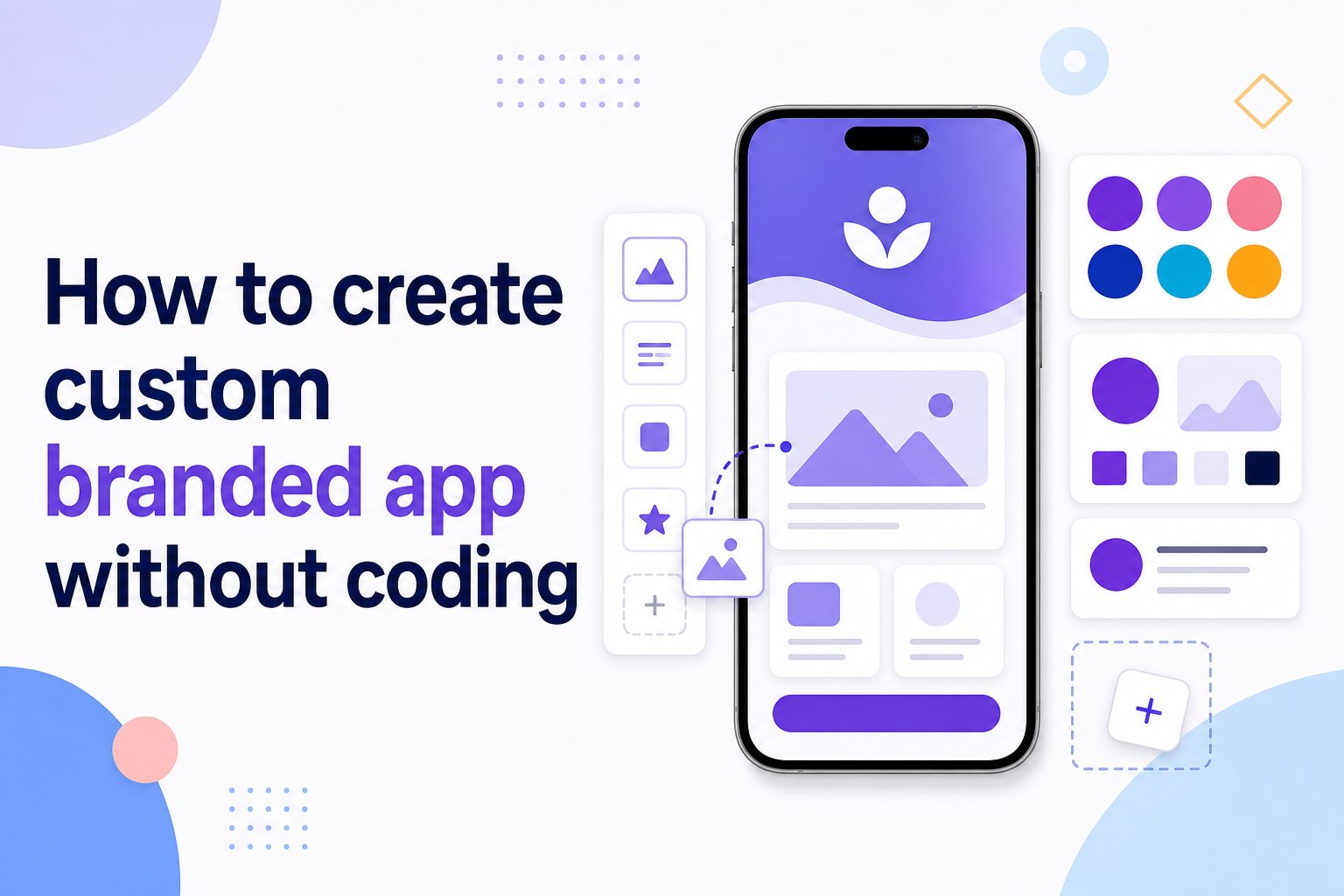
Learning how to create custom branded app without coding is now a practical option for businesses, creators, coaches, schools, communities, and service providers that want a professional mobile experience without hiring a development team. A branded app can help you bring your logo, colors, content, products, bookings, courses, messages, and customer tools into one easy place. The best part is that modern no-code app builders let you design, customize, publish, and update an app through visual dashboards instead of writing code. In this guide, you will learn what a custom branded app means, why it matters, which features to look for, how the process works, what mistakes to avoid, and how to make your app feel useful rather than just decorative. The goal is to help you plan a simple, polished, and business-ready app that supports your brand and gives users a better experience.
What A No Code Branded App Means
A no-code branded app is a mobile or web app created with a visual platform instead of traditional programming. You choose layouts, add content, connect features, adjust branding, and manage settings through menus, blocks, templates, and drag-and-drop tools.
The word branded means the app looks and feels like your business. It may include your logo, color palette, fonts, welcome screens, icons, content style, and customer journey. It should not feel like a generic template with your name added at the last minute.
No-code does not mean low quality. Many platforms now support memberships, e-commerce, bookings, push notifications, course libraries, forms, payments, customer portals, internal dashboards, and community features. The key is choosing tools that match your real business needs.
This approach is especially useful when speed, budget, and flexibility matter. Instead of waiting months for a custom development project, you can launch a focused app, test it with real users, and improve it based on feedback.
A custom branded app without coding works best when you start with a clear purpose. The goal is not to add every feature possible. The goal is to make one or more important user actions easier, faster, and more consistent.
Why Custom Branded Apps Matter
A branded app can strengthen your customer experience when it solves a real problem. It gives your audience a familiar place to interact with your business and reduces dependence on scattered tools or social platforms.
- Brand Control: Your app gives users a direct experience with your colors, voice, offers, content, and services in one controlled environment.
- Customer Convenience: Users can access resources, orders, appointments, lessons, updates, or support without searching through emails or multiple platforms.
- Better Engagement: Push notifications, saved preferences, member areas, and fresh content can encourage users to return more often.
- Operational Efficiency: Forms, bookings, payments, onboarding, and customer records can reduce manual work for your team.
- Professional Positioning: A polished branded app can make a small business, creator brand, or service provider appear more organized and credible.
Key Features Of No Code App Builders
Choosing the right no-code app builder is one of the most important decisions in the process. The platform should support your brand, your workflows, and your users without forcing unnecessary complexity.
1. Visual App Design Tools
Visual design tools let you build screens by selecting layouts, blocks, menus, tabs, buttons, and content areas. This matters because most non-technical users need to see how the app will look while they build it, instead of guessing from code or complex technical settings.
2. Brand Customization Options
A good builder should let you add your logo, brand colors, app icon, splash screen, menu labels, typography choices, and screen styling. These details make the app feel connected to your business and help users trust that they are in the right place.
3. Content And Product Management
Many branded apps need regular updates, such as new courses, products, announcements, menus, forms, events, or documents. Look for a platform that makes content management simple, because an app that is difficult to update often becomes outdated soon after launch.
4. User Accounts And Permissions
User accounts are useful when your app includes memberships, private content, order history, bookings, internal tools, or customer dashboards. Permission controls help you show the right content to the right people, which is important for paid communities, staff apps, and client portals.
5. Notifications And Messaging
Push notifications, in-app messages, and email triggers can improve engagement when used carefully. They help you remind users about appointments, new content, order updates, events, or important announcements without depending only on social media reach or crowded inboxes.
6. Integrations With Existing Tools
Your app may need to connect with payment processors, email platforms, calendars, spreadsheets, customer databases, learning tools, or automation software. Strong integrations reduce duplicate work and help your branded app become part of your existing business system.
How To Create A Custom Branded App Without Coding
The best process is simple: define the goal, choose the right platform, build the core experience, test it carefully, and improve after launch. These steps help you avoid wasting time on features users may not need.
- Define The Main Purpose: Decide whether your app is for selling, booking, learning, community, support, internal operations, or customer self-service.
- Map The User Journey: Write down what users should do first, second, and third after opening the app.
- Choose A No-Code Platform: Compare builders based on features, pricing, publishing options, integrations, and ease of updates.
- Prepare Brand Assets: Gather your logo, colors, app name, icon, welcome copy, product images, service details, and key content.
- Build Core Screens: Start with essential screens such as home, services, products, account, contact, booking, content, or support.
- Add Automations: Connect forms, payments, calendars, email updates, notifications, or customer records where needed.
- Test On Real Devices: Check navigation, loading speed, forms, buttons, checkout, login, and readability on different screen sizes.
- Launch And Improve: Release the app, watch user behavior, collect feedback, and make practical updates instead of guessing.
Custom Branded App Design Essentials
Design affects trust, usability, and retention. A custom branded app without coding should look professional, but it also needs to feel clear and easy during everyday use.
1. Keep The Home Screen Focused
The home screen should guide users toward the most important actions, such as booking, shopping, learning, checking updates, or contacting support. Avoid filling it with every possible feature. A focused first screen helps users understand the app quickly and reduces confusion.
2. Use Brand Colors Carefully
Your brand colors should support navigation, buttons, highlights, and key moments without overwhelming the screen. Too many bright colors can make the app feel messy. Use contrast wisely so text remains readable and important actions are easy to recognize.
3. Make Navigation Predictable
Users should not have to think hard about where to tap next. Use clear menu labels, familiar icons, logical screen order, and consistent button placement. Predictable navigation is especially important for service apps, customer portals, learning apps, and apps used repeatedly.
4. Write Short Helpful Screen Copy
Good app copy explains what users can do without sounding like a manual. Use short labels, direct button text, and plain instructions near forms or important actions. Clear writing often improves the app more than adding another visual element.
5. Design For Small Screens First
Many users will experience your branded app on a phone, so every layout should work on smaller screens. Check text size, button spacing, image cropping, form fields, and menu behavior. If the mobile experience feels cramped, simplify the layout.
6. Keep The App Consistent
Consistency makes the app feel more polished. Use the same style for buttons, headings, cards, icons, forms, and alerts across screens. When each section looks unrelated, users may question whether the app is complete or professionally maintained.
Examples Of Custom Branded Apps Without Coding
Examples make the idea easier to picture. A no-code branded app can serve many industries, but the best version always starts with a clear audience and a practical user need.
1. Fitness Studio App
A fitness studio can create an app for class schedules, trainer profiles, bookings, membership updates, workout videos, and push reminders. This keeps members connected between visits and makes it easier for them to reserve classes without calling or searching online.
2. Restaurant Ordering App
A restaurant can use a branded app for menus, pickup orders, loyalty rewards, special offers, table reservations, and customer feedback. The app can reduce friction for repeat customers and give the restaurant more control over the ordering experience.
3. Online Course App
A coach, creator, or educator can create an app with lessons, worksheets, progress tracking, member announcements, and private community areas. This gives students a structured place to learn and makes the course feel more valuable than scattered files or emails.
4. Salon Booking App
A salon can build a branded app for service lists, stylist profiles, appointment booking, reminders, product recommendations, and loyalty offers. Customers can manage appointments more easily, while the business can reduce missed bookings and repetitive admin work.
5. Real Estate Client App
A real estate professional can create an app for property updates, buyer guides, document checklists, consultation booking, and client communication. This can make the buying or selling process feel more organized and give clients a central place for important information.
6. Internal Team App
A company can build an internal branded app for staff announcements, training materials, forms, schedules, policies, and task checklists. This use case is valuable when employees need quick mobile access to information without searching through multiple systems.
Practical Custom Branded App Use Cases
Use cases help you decide whether a branded app is worth building. The strongest apps usually support repeated actions, private access, customer convenience, or business workflows that happen often.
1. Customer Self-Service
A branded app can help customers find answers, manage bookings, view order information, submit forms, or access support resources. This reduces routine questions and gives customers more control, especially when they need information outside normal business hours.
2. Membership Communities
Communities can use branded apps for announcements, discussions, exclusive content, events, and member directories. A dedicated app can feel more focused than a social platform, especially when the community is tied to coaching, education, wellness, or professional networking.
3. Mobile Learning
Courses, training programs, and employee education can work well inside a branded app. Users can access lessons, reminders, quizzes, downloads, and progress updates from their phones, which makes learning easier to fit into daily routines.
4. Booking And Scheduling
Service businesses can use an app to let clients book appointments, choose staff members, reschedule, pay deposits, and receive reminders. This is useful for salons, clinics, consultants, trainers, repair services, and local businesses with repeat appointments.
5. Loyalty And Retention
A branded app can support rewards, exclusive offers, renewal reminders, birthday promotions, and repeat purchase incentives. When these features are connected to real customer behavior, they can encourage ongoing engagement without relying only on discounts.
6. Field And Staff Operations
Internal teams can use no-code apps for checklists, inspections, reports, inventory updates, time logs, and task tracking. A branded internal app can improve consistency when employees need to capture information while moving between locations or customers.
Common Custom Branded App Mistakes To Avoid
No-code tools make app creation easier, but planning still matters. These mistakes can make an app feel confusing, unfinished, or less useful than intended.
1. Building Without A Clear Goal
Starting with features before defining the app’s purpose often leads to clutter. Decide what user problem the app should solve first. A focused booking app, learning app, or customer portal is usually stronger than a broad app with disconnected features.
2. Copying A Template Too Closely
Templates are helpful starting points, but your app should still reflect your brand and customer journey. If you keep generic labels, placeholder layouts, and unnecessary screens, the app may feel unfinished even if the technical setup works correctly.
3. Adding Too Many Features
More features do not automatically create a better app. Too many options can confuse users and make maintenance harder. Start with the core actions people need most, then add features only when feedback or usage data shows they are necessary.
4. Ignoring Mobile Usability
An app that looks acceptable on a desktop preview may still feel difficult on a phone. Test every screen on real mobile devices. Pay close attention to button size, form length, loading speed, menu clarity, and text readability.
5. Forgetting Ongoing Updates
A branded app is not a one-time project. Users expect accurate content, working forms, current offers, fresh lessons, and reliable notifications. Choose a platform and workflow that your team can maintain without needing technical help for every small change.
6. Launching Without User Testing
Testing with only your internal team can miss obvious issues. Ask a few real users to complete key tasks before launch. Their confusion, questions, and delays will show where labels, layouts, or instructions need improvement.
Best Practices For Custom Branded Apps Without Coding
Best practices help you create an app that is not only attractive, but also useful, reliable, and easier to manage after launch.
1. Start With One Main User Action
Every strong app has a primary action, such as booking a service, watching a lesson, placing an order, checking updates, or submitting a request. Make that action obvious from the home screen and remove anything that distracts from it.
2. Use Simple Menu Labels
Clear labels are more useful than clever names. Users should know what each menu item means before tapping it. Terms like Book, Shop, Courses, Support, Account, and Updates are often better than branded phrases that only your team understands.
3. Keep Forms Short
Long forms can reduce completion rates, especially on phones. Ask only for the information you truly need at that moment. If more detail is required later, collect it in stages rather than forcing users through a long first interaction.
4. Match Notifications To Real Value
Notifications should help users, not annoy them. Send reminders, confirmations, important updates, or genuinely useful offers. Avoid frequent generic messages, because users may turn off notifications or delete the app if they feel interrupted too often.
5. Review Analytics After Launch
Most no-code platforms provide basic analytics or can connect to reporting tools. Review which screens users visit, where they stop, and which actions they complete. This helps you improve based on behavior instead of personal preference.
6. Document Your App Workflow
Keep a simple record of how the app is managed, including content updates, integrations, notification rules, form destinations, and publishing steps. Documentation helps your team maintain the app and prevents confusion when someone new needs to make changes.
Important Custom Branded App Factors
Before choosing a no-code platform, review the practical factors that affect cost, quality, maintenance, and user experience. These details can make the difference between a smooth launch and a frustrating project.
- Publishing Options: Check whether the platform supports mobile app stores, web apps, or both, depending on where your users will access the app.
- Pricing Structure: Review monthly fees, user limits, app store support, transaction costs, and charges for advanced features.
- Data Ownership: Know where user data is stored, how it can be exported, and what happens if you leave the platform.
- Scalability: Make sure the builder can handle more users, content, features, and integrations as your needs grow.
- Support Quality: Look for reliable help resources, onboarding, customer support, and clear documentation before committing.
Frequently Asked Questions
1. Can I Really Create A Branded App Without Coding?
Yes, you can create a branded app without coding by using a no-code app builder. These platforms provide visual tools for screens, menus, branding, content, forms, payments, and integrations. You still need planning and testing, but you do not need to write software code yourself.
2. How Much Does A No Code Branded App Cost?
The cost depends on the platform, features, number of users, publishing needs, and support level. Simple web apps may be affordable monthly subscriptions, while app store publishing, advanced integrations, memberships, or custom onboarding can increase the price. Always compare total ongoing costs, not only launch cost.
3. Is A No Code App Good Enough For A Business?
A no-code app can be good enough for many businesses, especially when the goal is bookings, content delivery, customer portals, ordering, memberships, or internal workflows. It may not fit highly complex products, unusual technical requirements, or apps needing deeply custom performance and architecture.
4. How Long Does It Take To Build A Custom Branded App?
A simple branded app can often be built in days or weeks, depending on content readiness and feature complexity. The timeline becomes longer when you need payments, user accounts, integrations, app store submission, testing, or multiple approval rounds. Preparation usually speeds up the project significantly.
5. Do I Need To Publish The App In App Stores?
Not always. Some branded apps work well as mobile-friendly web apps or progressive web apps. App store publishing can be useful for stronger mobile presence and push notifications, but it may require extra review steps, platform fees, and ongoing compliance with store rules.
6. What Is The Biggest Risk With No Code App Builders?
The biggest risk is choosing a platform before defining your real needs. If the builder cannot support your workflows, integrations, data needs, or growth plans, rebuilding later can be frustrating. Start with requirements, test the platform, and confirm that updates will be manageable.
Conclusion
Creating a custom branded app without coding is a realistic way to improve customer experience, organize services, deliver content, manage bookings, support communities, or streamline internal work. The best results come from a clear goal, strong branding, simple navigation, useful features, and careful testing.
A no-code app should not be built just because the tools are available. It should help users do something important more easily. When you focus on purpose, usability, and ongoing improvement, your branded app can become a practical part of your business rather than a one-time digital project.